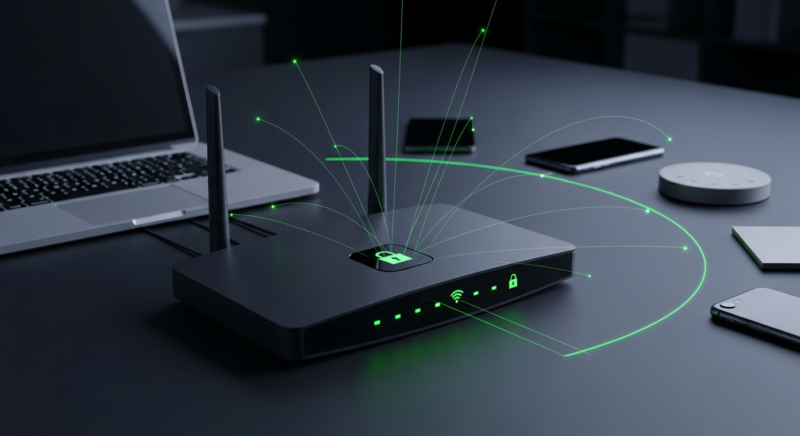
Your home network is now part of your business security whether you meant it to be or not. If your staff work from home, check email on personal phones, or log into Microsoft 365 from a kitchen table, a weak home Wi-Fi setup can turn into stolen logins, malware, and lost time fast.
For a small business, this usually shows up as account lockouts, fake invoice emails, weird sign-in alerts, or one employee getting infected and dragging company data with them. Then work stops. People can’t get into files. Someone has to figure out what happened. That costs real money, even if the attack started on a home router nobody thought about.
Google Chrome 146 for Windows added Device Bound Session Credentials to help stop infostealers from stealing session cookies and hijacking logged-in accounts, according to BleepingComputer.
If you run a small company and have even one person working from home, this guide will show you where home networks usually go wrong, what that can cost, and the simple fixes that actually matter.
Why home networks are a business problem now
A home network is not just a family internet connection anymore. It is often where your staff accesses email, payroll, customer files, bank accounts, and cloud apps.
The problem is that most home routers get set up once and then ignored for years. Default passwords stay in place. Old firmware never gets updated. The same network holds work laptops, kids’ tablets, doorbells, cameras, TVs, and random smart plugs. That is a mess.
If one weak device gets hit, it can become the doorway to the rest of the network. Not always. But often enough.
We see this all the time in real life. Someone uses the same password on a router and their email. Someone clicks a fake Microsoft 365 link on a home PC. Someone’s browser session gets stolen by malware, and the attacker gets into the email without needing the password again.
That last part matters. Google added protection in Chrome on Windows because infostealers have been going after session cookies to hijack logged-in accounts, as reported by BleepingComputer. In plain English, if malware grabs that browser data, a criminal may be able to act like your employee is already signed in.
What this can cost a small business
The biggest cost is usually downtime first, cleanup second, and reputation damage after that. Small businesses feel all three harder because they do not have spare staff sitting around to absorb the hit.
If one employee account gets taken over, attackers often use it to send fake invoices, change payment instructions, or phish the rest of your team. One bad mailbox can turn into five. Then ten.
Recent law enforcement action disrupted a crypto fraud operation that caused more than $45 million in losses, with $12 million recovered for victims. Different scam, same lesson. Once money leaves, getting it back is hard.
There is also the labor cost. Even a small incident can eat up a full day between password resets, checking sign-in logs, reimaging a laptop, and warning clients. If a home network issue leads to malware on a company machine, the cleanup usually includes these steps:
- Reset the user’s password and turn on stronger sign-in security
- Sign out all active sessions
- Scan or wipe the infected device
- Check email rules, forwarding, and suspicious logins
- Review whether any files were downloaded or changed
- Warn vendors or customers if a fraudulent email was sent
That can mean a few hours if you catch it early. Or a few days if you do not.
Here is the business picture in plain terms.
| Problem | What it looks like | Business cost | Typical fix |
|---|---|---|---|
| Weak home Wi-Fi password | Neighbors or attackers get on the network | Stolen data, slow internet, malware spread | Change Wi-Fi password, use WPA2/WPA3, update router |
| Old router firmware | Router has known security holes | Account theft, traffic spying, unstable network | Install firmware updates or replace router |
| Work and smart devices mixed together | TV, camera, or smart plug becomes the weak link | More paths into work laptop or phone | Put work devices on a separate network |
| Phishing or infostealer malware | User clicks fake login page or bad download | Email takeover, invoice fraud, downtime | Wipe device, reset accounts, add MFA, browser updates |
What you should do right now
You do not need enterprise gear to make a home network much safer. You need a few basic fixes done right.
Start with the router. If you do nothing else, do this first.
- Change the router admin password. Do not leave the default. Use a long, unique password.
- Update the router firmware. If the router no longer gets updates, replace it.
- Use WPA2 or WPA3 for Wi-Fi security. If you still see WEP, that is ancient and bad.
- Change the Wi-Fi password if it is short, old, or shared with too many people.
- Create a guest network for smart home devices and personal gadgets.
- Keep work laptops and work phones off the smart device network.
- Turn on multi-factor authentication for Microsoft 365, banking, payroll, and any remote access.
Then look at the devices themselves. A secure router does not help much if the laptop is full of junk.
Make sure Windows updates are on. Keep browsers current. Chrome’s newer protections against cookie theft help on Windows, but only if the browser is updated.
Also, be honest about personal devices. If an employee uses their own computer for work, that machine needs the same basic rules as an office PC. Updates. Antivirus. Screen lock. No admin rights if possible. And no downloading every free PDF converter they find online.
How to prevent bigger problems later
The long-term fix is separation and consistency. Keep work separate from everything else, and make the rules easy enough that people will actually follow them.
For most small businesses, that means a short home-work security checklist for any employee who works remotely. Nothing fancy. Just the basics.
- Use company-managed laptops if you can
- Require multi-factor authentication on all business accounts
- Use a password manager so people stop reusing passwords
- Keep a separate guest or IoT network for cameras, TVs, and smart devices
- Back up business data to company-controlled storage, not just the local PC
- Train staff to spot fake login pages, urgent invoice requests, and weird attachment emails
This is also where browser and plugin hygiene matters. We have seen plenty of problems caused by software that people trusted. BleepingComputer recently reported that attackers hijacked Smart Slider 3 Pro updates to push malicious versions for WordPress and Joomla sites. Different platform, same point. Trusted software can still be abused.
That is why limiting what can be installed helps. Fewer random apps. Fewer browser extensions. Fewer surprises.
When to call for help
If you see signs of account takeover, malware, or repeated home network issues affecting work, get help fast. Waiting usually makes it worse.
These are the red flags that mean you should stop guessing:
- Microsoft 365 sign-in alerts from places your staff have never been
- Email sent from an employee account that they did not write
- Banking or vendor payment details changed by email
- Browsers logging users into accounts they already changed passwords for
- Home internet dropping only on work devices or after router changes
- Employees working from old personal PCs with no updates or antivirus
The fix depends on what happened. Sometimes it is a one-hour cleanup. Sometimes it is replacing a junk router, wiping a laptop, and reviewing every business account tied to that user.
The good news is that the basic home-network side is not expensive. A decent current router is usually far cheaper than a day of downtime. Setting up a separate Wi-Fi network, changing passwords, turning on MFA, and checking update settings is usually measured in hours, not weeks.
If your team works from home and nobody has checked those home setups, this is worth doing before a bad click turns into a payroll or email mess. We help small businesses in Oregon lock down remote work devices, clean infected PCs, and fix the account takeover problems that follow. If you want someone to review the weak spots before they cost you a day of work, Kusma can help.